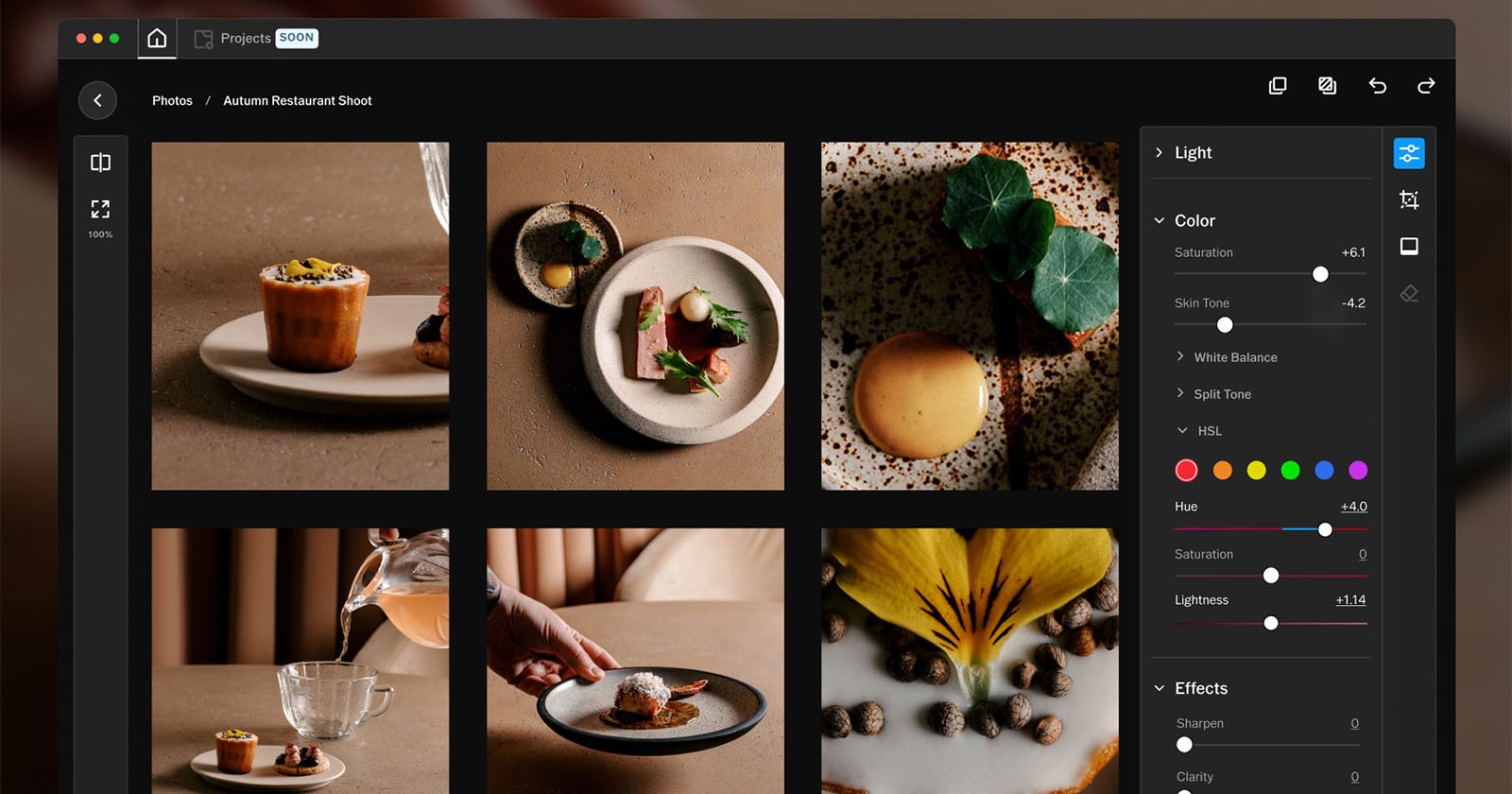
The wait is over, and the upgrade is worth it. VSCO Studio Pro Desktop has arrived, and for anyone who has been editing on a phone screen and wishing for more, this is the tool that finally bridges the gap between mobile convenience and professional control. When VSCO launched Studio Pro on iOS back in June, the promise of a macOS version felt like a tease for those of us who crave a larger canvas and precise cursor work. Now that it is here, the question isn't whether to use it, but how quickly you can integrate it into your workflow.
This release matters because it acknowledges a fundamental truth about creative tools: the best ones adapt to how you actually work. On a phone, you edit in bursts, on a train, between meetings, while the coffee brews. On a desktop, you settle in. You take your time. You make micro-adjustments that a thumb swipe can't quite deliver. VSCO Studio Pro Desktop offers that space to breathe, and it arrives alongside a moment when the entire ecosystem of image-making is maturing. Just as iOS 27 Beta Brings a Curated Glimpse of the Duo's Front Camera Unlock hints at how hardware and software are finally aligning for better self-portraits, VSCO is aligning its editing engine with the hardware you already own. And if you have been diving into color grading, you know that precision tools are finally becoming accessible, Elevate Your Color Workflow with Lightroom's New Vectorscope Tool shows how granular control is no longer reserved for the studio. VSCO Studio Pro Desktop fits into that same wave: it gives you the power to tweak, refine, and immerse yourself in the edit without leaving the aesthetic ecosystem you already trust.
What does this mean for you in practical terms? It means your curated look, the one you have honed on your phone, can now be applied with the same fidelity on a 27-inch display. It means you can batch-edit a shoot from your latest project without squinting. It means the gap between your creative vision and the final image just got narrower. The desktop version is not a port; it is a rethinking of how the tools behave when you have a keyboard and a trackpad. The sliders feel more responsive. The previews are larger. The experience becomes immersive rather than reactive. For the photographer who also values fashion, beauty, and lifestyle, who wants the image to feel as good as the moment it captures, this is the editing environment you have been waiting for.
One specific detail to watch: how VSCO handles the sync between mobile and desktop. If the transition is seamless, Studio Pro Desktop becomes not just a tool but a bridge, a way to start a look on the go and finish it at your desk without friction. That is the kind of authenticity creatives need: no file transfers, no dropped presets, no starting over. The promise is here. Now we see if the execution matches the aspiration.