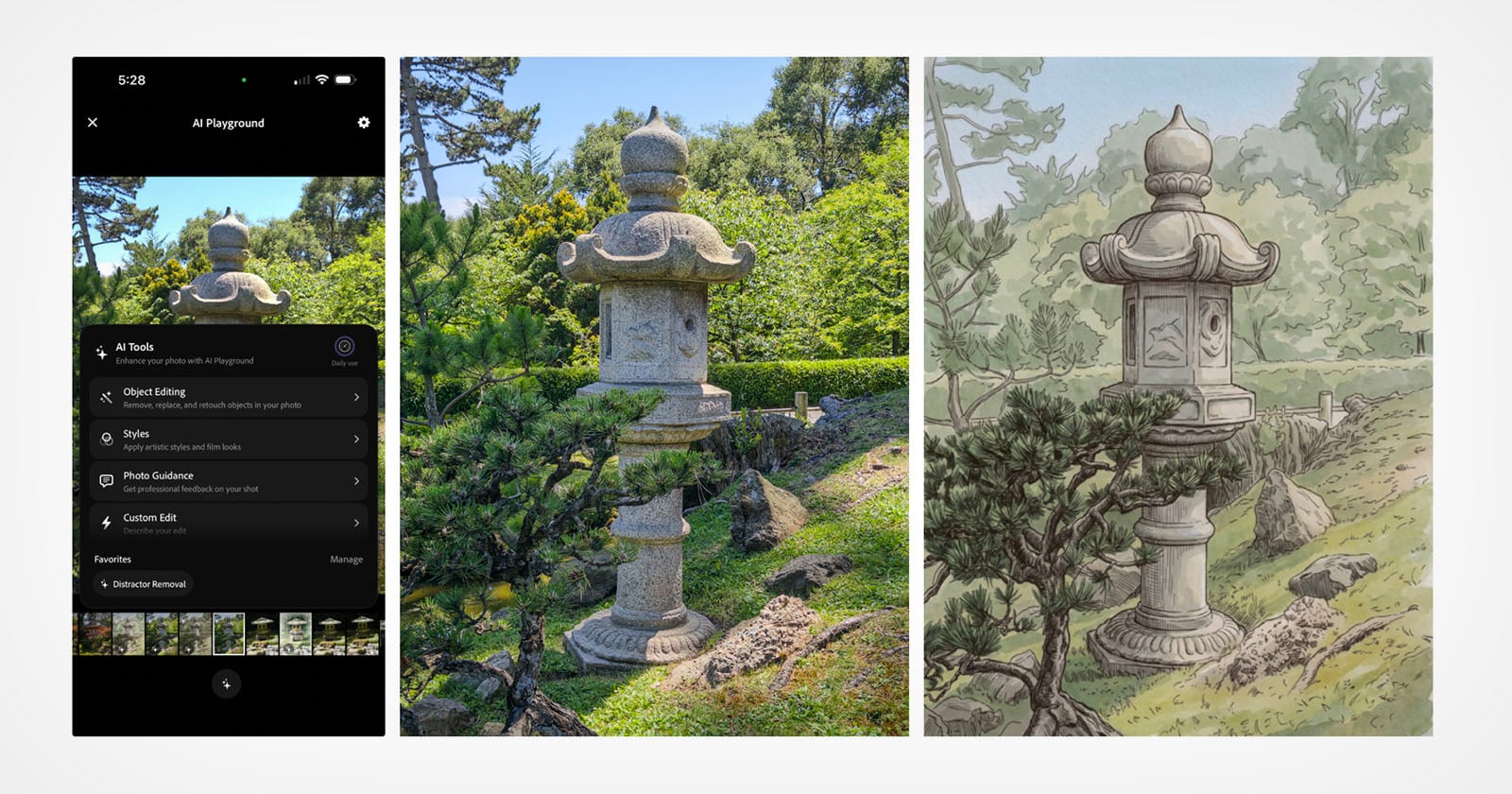
A year ago, Project Indigo arrived with a quiet confidence, promising desktop-grade processing and a stubborn commitment to natural-looking photographs. It was a tool for people who care about the craft, not just the capture. Now, with the launch of the AI Playground, Adobe is asking a different question: what happens when the darkroom itself becomes a playground? For our audience, who navigates the intersection of artistry and authenticity daily, this isn't just a feature update; it's a philosophical pivot. It echoes the energy we see in the Collaborate & Create: Boudoir Sessions Offered Across Florida's Coast, where the line between photographer and subject blurs into a shared vision. Similarly, Adobe is handing us a new brush, but the canvas is the light itself.
Our take is this: the AI Playground is not about replacing your eye; it's about expanding your vocabulary. The original app was lauded for its restraint, for pulling detail out of shadows without inventing a plastic sheen. This new layer invites you to push past the documentary and into the illustrative. It feels less like a gimmick and more like a natural evolution, similar to how Unlock Creative Power: Lightroom and Photoshop Now Within Gemini is dissolving the walls between Adobe's suite and the broader AI ecosystem. For the working creative, this means a single session can now move from a sharp, true-to-life portrait to a watercolor interpretation without ever leaving the app. The practical takeaway for you is workflow consolidation, but the deeper value is creative momentum. You can iterate, experiment, and fail beautifully without burning time in a separate, complex desktop program.
But we'd be remiss to ignore the tension that hangs over every generative feature. When we see stories like the Aspirational Image, Unexpected Exit: CEO Departs After AI Photo, we are reminded that the audience's trust is fragile. The difference here is intention. Project Indigo's core promise was realism; the AI Playground is a deliberate departure from that. It is a tool for obvious, stylized transformation, not for deception. That distinction matters. It means you can embrace this feature with confidence, knowing that a stone lantern photograph can become a painterly homage, not a fake piece of photojournalism. We would tell you to dive in, but to do so with the same curatorial eye you apply to everything else in your portfolio.
The specific detail to watch is how Adobe handles the output metadata. In a world where a CEO can lose a job over an AI edit, the provenance of your images is no longer just a technicality; it's a professional responsibility. We want to see if Project Indigo will automatically tag these playful edits as generative in the file's core data. That is the line between a creative tool and a liability. If Adobe can make that transparency seamless, they won't just be giving you a new toy; they'll be giving you a way to play safely. That is the feature we'll be checking for first.