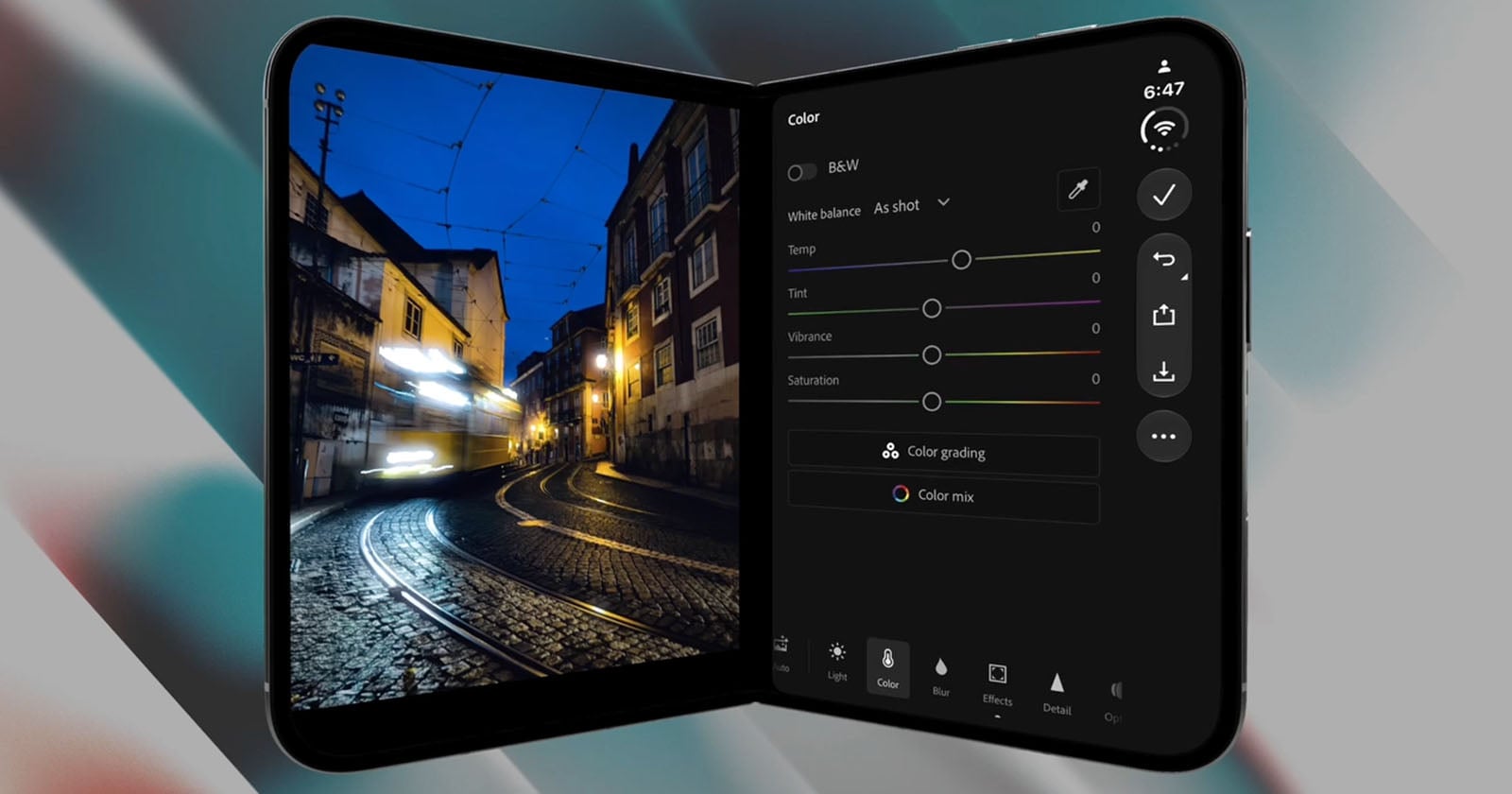
A new dimension of creative control has arrived, and it feels less like a software update and more like a shift in how we see the frame. Adobe Lightroom's native compatibility update for the iPhone Duo is not just a technical achievement, it is a quiet statement that the foldable screen is finally a serious tool for image makers. We have watched the Duo spend its first month in the wild, and this update proves the dual-screen form factor can do what no single slab ever could: let you edit with one hand on the image and the other on the sliders, simultaneously, without menu layers or guesswork. For photographers who value both precision and flow, this is the moment the Duo stops being a curiosity and becomes a creative partner.
The practical shift is subtle but profound. On a standard iPhone, adjusting exposure while keeping an eye on the histogram means tapping, dragging, and hoping you remember the numbers. On the Duo, Lightroom now lets you keep the full preview on one screen while all your editing tools live on the other. It is the difference between looking through a viewfinder and working on a light table, both hands stay engaged, and the image never disappears behind a menu. This mirrors the philosophy behind Jimmy Chin Captures a Vision on iPhone, Landing in TIME's Top 100 Photos, where the best work comes from removing friction between the artist and the moment. Chin proved that a phone can capture a world-class image when the tool gets out of the way. Lightroom on the Duo does the same for the edit: it lets you refine without interruption, and that changes how you think about finishing a shot.
Of course, raw power is nothing without an eye for imperfection. We recently explored how to Refine the Wild: Elevate Imperfect Wildlife Shots with Artistic Precision, and that piece underscored a truth every photographer knows: the best images are often the ones that start flawed. A missed focus, a blown highlight, a frame that feels just off, these are not failures but invitations to edit. Lightroom's Duo update makes those invitations easier to accept. With the image always visible on one screen, you can zoom into a bird's eye at full resolution on the left while feathering a radial gradient on the right. The edit becomes a conversation between two hands and two eyes, and the result is a final image that feels intentional rather than rescued. That is the difference between a quick fix and a refined composition.
What this means for the working creative is a new question about workflow. If you already shoot and edit on an iPhone, the Duo now offers a genuine alternative to a laptop for certain tasks. But the real test is whether third-party developers continue to embrace the split-screen logic. Lightroom has set the bar high, and we will be watching to see if tools like PixelLoupe Brings Free, Elegant Photo Editing to Mac Creatives can bring a similar elegance to the Duo's dual canvas. For now, the takeaway is concrete: if you have been waiting for a reason to take the Duo seriously for photography, this is it. The frame is no longer a limitation, it is a workspace.